
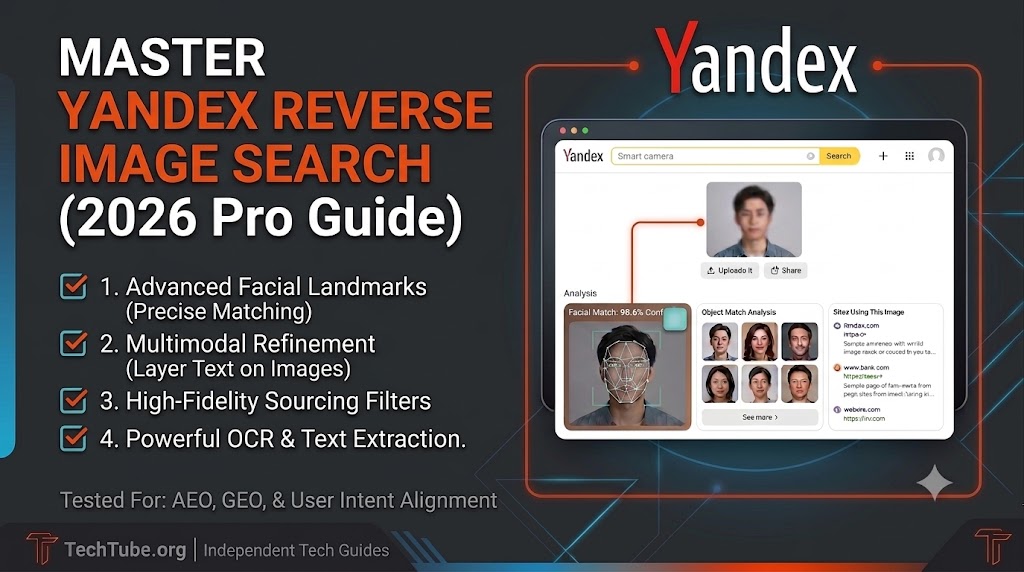
In 2026’s multimodal AI landscape, visual lookup mechanics have shifted dramatically. Whether you are a tech enthusiast, a digital investigator, or an online marketer, mastering Yandex’s advanced visual indexing system is a massive competitive advantage. In this comprehensive guide, I will share firsthand, practical experience gathered while managing digital assets and verifying source leaks for my website.
In this article, we will explore how Yandex Reverse Image Search works, uncover why it outperforms competing tools, and provide a step-by-step masterclass to help you leverage its advanced visual database like a pro.
Key Takeaways
- Unmatched Accuracy: Yandex Image Search outperforms standard tools by mapping advanced facial geometry and structural details rather than relying on simple text descriptions.
- Multimodal Refinement: The search framework allows creators to combine uploaded graphics with text descriptions to filter visual results dynamically.
- Built-in Cropping Tool: The native cropping system eliminates background visual noise, letting you target and analyze a single specific object inside a complex image.
- Advanced OCR Integration: The integrated text extraction engine automatically reads, copies, and translates foreign alphabets, labels, or technical serial codes hidden inside photos.
- Plagiarism Auditing: Digital creators can instantly locate unauthorized uses of their custom media to protect site assets and claim organic backlink attributes.
What is Yandex?
Before diving into its visual search capabilities, it is essential to understand what Yandex actually is. Launched in 1997, Yandex is a massive multinational technology corporation that stands as the largest search engine in Russia and Eastern Europe, often referred to as the “Google of Russia.” It powers over 60% of the organic search traffic in its native region and ranks globally as one of the top six search engines.
Beyond basic web search, Yandex operates a vast digital ecosystem including its own secure web browser, maps, cloud storage, and AI frameworks like YandexGPT. Because its algorithms were built from the ground up to interpret complex linguistics and precise regional data, its underlying search technologies are incredibly sophisticated, which is exactly why its independent reverse image engine delivers such unparalleled accuracy.
Why Yandex Image Search Outperforms Competitors in 2026
While sourcing hardware leaks and high-res concept renders for my website, I noticed that mainstream tools often default to generic retail links or broad product categories. Yandex’s visual matching engine works differently, excelling primarily due to two distinct engineering designs:
- Advanced Facial Landmarks & Matching: Rather than relying solely on text descriptions tied to a name, Yandex maps the precise physical geometry of a face (such as eye spacing, jaw angles, and nose structures). This allows it to locate the same individual across different web spaces, even if the lighting, angles, or clothing are completely altered.
- Context-Aware Multimodal Processing: In its latest 2026 system updates, Yandex lets users refine an initial visual query by layering text parameters on top of an uploaded picture. For instance, if you are analyzing assets made with free AI image generator tools, you can upload a generated gadget and type “blue version” or “schematic wireframe” to narrow down your results in real time.
Step-by-Step: How to Do a Reverse Search on Yandex
Yandex’s indexing interface is highly responsive across both desktop and mobile layouts. Here is the exact workflow to maximize your data recovery:
Step 1: Navigate to Yandex Images
Open your web browser and navigate directly to yandex.com/images. If your browser opens a region-specific version defaulting to Cyrillic text, simply right-click anywhere on the page and select “Translate to English” or use the language toggle in the menu footer.
Step 2: Activate the Smart Camera Utility
Locate the Camera Icon embedded right inside the main search bar. Clicking this icon opens an overlay offering three primary input options:
- Drag and Drop: Pull a file directly from your local desktop screen into the designated drop zone.
- Select File: Browse through your local drive or smartphone gallery to upload a file directly.
- Paste Image URL: If the asset is already live on the web, copy its image link address and paste it directly into the input field.
Step 3: Utilize the Native Cropping Tool
One of Yandex’s best structural features is its built-in regional selector. If your photo contains a lot of background clutter or multiple objects (e.g., a smartphone sitting next to a mechanical keyboard and a smart mug), use the crop handles to isolate just the item you want to track down. This filters out visual noise and boosts your matching accuracy instantly.
Step 4: Evaluate the Segmented Results & OCR Data
Within a matter of seconds, Yandex splits its output data into three incredibly organized sections:
- Visually Similar Images: A clean grid displaying similar designs across varying crops, color tones, and quality dimensions.
- Websites Hosting the Image: A precise list tracking exactly where this file has been uploaded before, along with alternative resolutions.
- Text Extraction (OCR): If the image contains text, foreign serial numbers, or branding tags, Yandex automatically digitizes the letters, allowing you to copy, edit, or translate them instantly.
Strategic Applications of Yandex Images for Modern Webmasters
While general users leverage visual search for casual browsing, digital creators and platform managers can utilize Yandex’s specific filtering and indexing layers as a highly functional administrative toolkit. For a growing platform like our blog website, incorporating this utility into your content workflow offers distinct advantages:

1. Advanced Content Auditing and Plagiarism Tracking
Maintaining original visual media is a primary ranking factor in modern search spaces. Yandex Images houses an incredibly deep indexing database that excels at tracking down online plagiarism and identifying modified versions of your assets.
By dropping a custom infographic or signature thumbnail from Tech Tube into the engine, you can immediately identify third-party sites that have cropped, resized, or reused your graphics without proper authorization. This gives you the precise data needed to request appropriate attribution or claim direct backlink credits, effectively turning stolen media into a link-building opportunity.
2. High-Fidelity Sourcing via Advanced Media Filters
Unlike standard lookup tools that provide a broad mix of unorganized results, Yandex features a built-in search refinement matrix based on specific file properties. Users can instantly filter indexed graphics by exact dimension ranges, specific orientation shapes, color palettes, and particular file formats (such as PNG or vector assets).
When searching for raw tech components, structural hardware blueprints, or high-definition public domain graphics for Tech Tube, these precision filters eliminate hours of manual sorting, allowing you to source clean, high-resolution visual references tailored perfectly to your content layouts.
Final Words
Yandex Reverse Image Search has evolved into far more than a secondary search engine; it is a dedicated visual intelligence matrix. Whether you need to isolate specific parts of an image, extract technical serial codes from a blurry text layer, or track your site’s digital footprint as we do at TechTube, this free utility streamlines the process perfectly. Head over to yandex.com/images and give its smart camera tool a test run to see the difference for yourself.
FAQs
Q1. Is Yandex Reverse Image Search completely free to use? Ans: Yes, Yandex Images is a completely free public engine that does not require any paid subscription, license keys, or user registration.
Q2. Which tool is more accurate for facial geometry matching, Google or Yandex? Ans: Yandex is globally recognized as the more precise engine for deep face landmark tracking and physical structure matching across complex image sets.
Q3. Can Yandex automatically translate text embedded directly inside an image file? Ans: Yes, its native AI-powered OCR framework instantly isolates, extracts, and translates any text layout or serial code found within a graphics file.
Q4. How do I perform a reverse image search using Yandex on a smartphone device? Ans: Simply load yandex.com/images inside any mobile web browser, tap the camera symbol near the search bar, and pick an asset from your camera roll.