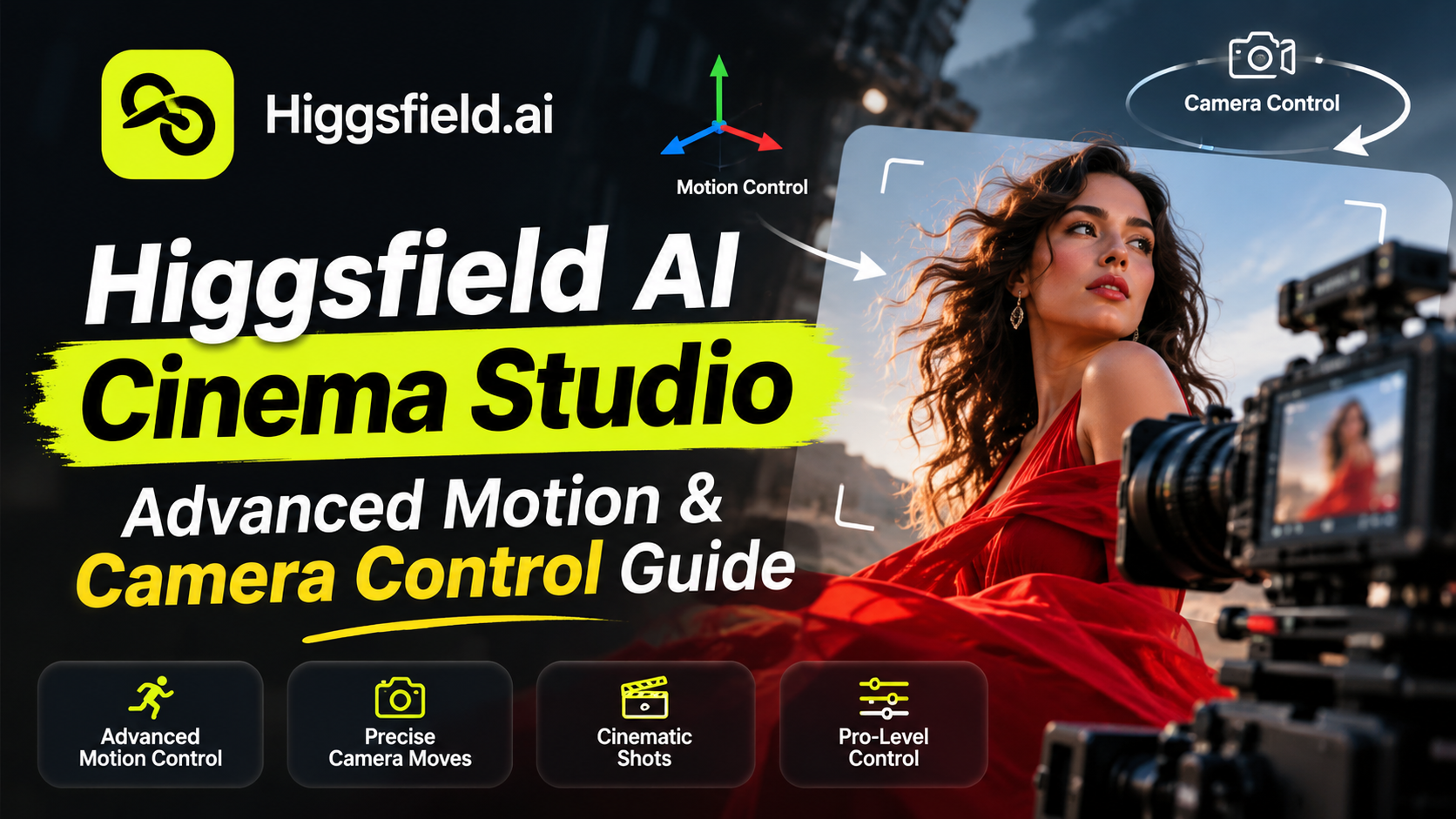
When testing Higgsfield AI Cinema Studio on my local setup last week, the biggest headache was camera jitter and erratic motion control. You would input a prompt asking for a smooth dolly zoom toward a character’s face, but the generation model would randomly distort body proportions or morph the background into something completely unrelated.
Higgsfield AI Cinema Studio was built specifically to solve this precision bottleneck. Rather than functioning as a standard text-to-video generator where you cross your fingers and hope for a decent output, it gives creators granular control over camera focal lengths, movement tempo, and frame-to-frame trajectory. In this guide, we will examine how to prompt for technical camera movements and explore what to do if Higgsfield isn’t the exact fit for your production setup.
Key Takeaways
- Granular Control: Higgsfield AI Cinema Studio replaces random generations with precise lens focal lengths and motion tempos.
- Chronological Prompts: Structure prompts by timeline segments (such as 0–4 seconds) to achieve seamless cinematic motion.
- Character Consistency: Use reference asset tags to preserve facial structure across multiple scene cuts and camera angles.
- Top Alternatives: Utilize Zorq AI for multi-model access, or Kling and Runway for advanced physical motion control.
- Credit Efficiency: Test your prompts at lower resolutions (720p) first to conserve credits before rendering final outputs.
1. What Makes Higgsfield AI Cinema Studio Different?
Most standard generative video utilities focus almost entirely on aesthetic visual styles or color palettes. Higgsfield takes a filmmaker-first approach by exposing camera physics and framing baseline options directly within the dashboard:
Lens & Aperture Configurations: Control spatial compression and depth-of-field using specific focal length baselines, such as 24mm wide-angle, 35mm portrait lens, or 50mm cinema prime settings. Motion & Tempo Controls: Lock down keyframe movements ranging from rapid low-angle tracking shots to steady, slow-motion orbits.
Character & Asset Consistency: Utilize reference image frames (such as Soul ID) to ensure your subject remains consistent across multiple scene transitions and lighting changes.
Pro Tip: If you edit digital media or create headshot assets, starting with high-resolution reference files is critical for character face-locking. You can generate crisp portrait templates using our TechTube Passport Photo Studio before uploading them as reference frames into Higgsfield’s generation pipeline.
2. Advanced Prompting Guide: Hollywood Camera Angles
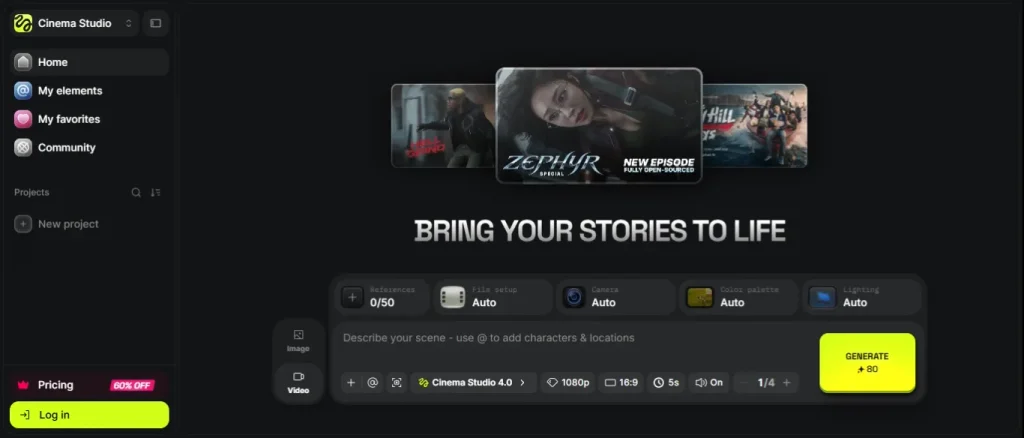
To get reliable, cinematic results from Higgsfield Cinema Studio without wasting generation credits, structure your text prompts chronologically. Clearly specify the character action and primary camera vector for the first 0–4 seconds, then detail ambient background shifts for the remaining seconds.
Angle 1: Dynamic Dolly Zoom
Use this setup when you want your subject to stay fixed in space while the background expands or compresses around them:
Setting: 35mm Lens, f/2.8, Tempo: Calm.
Prompt: 0–4 seconds: Medium close-up shot of a man standing in a neon-lit alleyway. The camera performs a slow dolly-in while a zoom-out occurs simultaneously, keeping the man locked in frame while the background perspective expands dramatically. Rain falls in soft slow motion.
Angle 2: 360-Degree Cinematic Orbit
Best suited for product reveals, fashion showcases, or dramatic character introductions:
Setting: 50mm Lens, Clean, Sharp, Lighting: Soft, Warm.
Prompt: 0–5 seconds: Smooth 360-degree camera orbit around @Image1 standing in an open studio environment. Camera maintains a low-angle tracking trajectory. Soft key lighting highlights facial details with zero jitter or distortion.
Angle 3: High-Speed Action Tracking Shot
Ideal for dynamic chase sequences, sports content, or fast movement shots:
Setting: Wide Angle 24mm, Motion: High Tempo.
Prompt: 0–4 seconds: Low-angle tracking shot moving parallel to a sports car speeding down a wet asphalt road at dusk. Streetlights create horizontal lens flares across the frame. Camera stays smooth and steady alongside the vehicle’s side profile.
3. Top 5 Higgsfield AI Alternatives (2026)
Depending on your production requirements, you may need multi-engine access, direct audio generation, or different billing options. Here are the top alternatives offering distinct strengths:
| Zorq AI: | Multi-Model Aggregator | Quick cross-model prompt testing |
|---|---|---|
| Kling AI | Realistic Body Physics | Natural human movement & cloth dynamics |
| Kaiber AI | Audio-Synced Visuals | Music videos & artistic animation |
| Runway Gen-3 | Gen-4: Motion Brush Controls | Studio production & professional post-workflows |
| Seedance | Native Audio & Sound FX | Single-pass generation with sound sync |
1. Zorq AI
Unlike Higgsfield, Zorq AI is an aggregator platform rather than a standalone model builder. It connects multiple generation engines, including Sora, Veo, and Kling, into a single workspace. While it offers less manual camera parameter control, it is ideal for testing how different models respond to the same prompt.

2. Kling AI
When your main priority is physical realism such as organic walking movement, fluid motion, or cloth dynamics, Kling is one of the strongest engines available. It handles complex anatomical motion cleanly when camera focal length isn’t your main bottleneck.
3. Kaiber AI
Kaiber caters heavily to graphic animators and visual artists. It provides intuitive audio-reactivity features, making it a great option when you need video clips synced to music tracks rather than photorealistic film camera moves.
4. Runway Gen-3 / Gen-4
Runway remains a primary choice in professional commercial environments due to its motion brush system, localized direction controls, and robust asset timeline editing tools.
5. Seedance
If your video creation pipeline requires generating synchronized background audio, sound effects, or speech in a single render pass, Seedance simplifies your rendering step significantly.
If you want to refine your static assets before generating video clips, explore our hands-on review of the Top Free AI Image Generator Tools
4. Higgsfield AI Pricing Breakdown (2026)
Higgsfield operates using a monthly credit subscription structure:
Free Plan ($0/mo): Allows platform testing, dashboard navigation, and basic image features (generations include watermarks).
Starter Plan ($19/mo): Provides 270 credits per month; ideal for basic 720p clips and image generations.
Tech tube free AI image generator tools includes 1,200 credits per month and opens access to all high-tier video models (including Seedance 2.5, Sora, and Veo) along with Start & End frame control.
Ultra Plan ($129/mo): Includes 3,000 credits per month; designed for commercial marketing teams and high-volume output pipelines.
Budget Note: Generation costs depend on clip length and render resolution. For example, rendering at 1080p requires roughly 2.5 times more credits than rendering at 720p, so testing prompts at 720p first will save significant credit usage.
FAQ
Q1: Is Higgsfield AI free to use?
Yes. Higgsfield offers a free tier for testing the dashboard layout and basic tools. However, exporting high-resolution, unwatermarked video renders requires a paid plan.
Q2: How do you maintain character consistency in Higgsfield AI?
You can upload clean character reference images and assign asset tags (such as `@Image1`) directly into your prompt. This keeps facial structures consistent across different camera cuts.
Q3: Which is better: Higgsfield AI or Zorq AI?
Higgsfield is best for video creators who need exact manual control over camera angles, lens settings, and motion trajectories. Zorq AI is better suited for users who want to compare outputs across multiple base models using a single platform subscription.
Final Verdict
Higgsfield Cinema Studio solves the unpredictability of basic text-to-video tools. By structuring prompts around explicit timeline segments (0–4s, 4–9s) and standard filmmaking parameters (35mm lens, f/2.8 aperture), you can produce steady, high-quality video clips without jarring visual glitches.