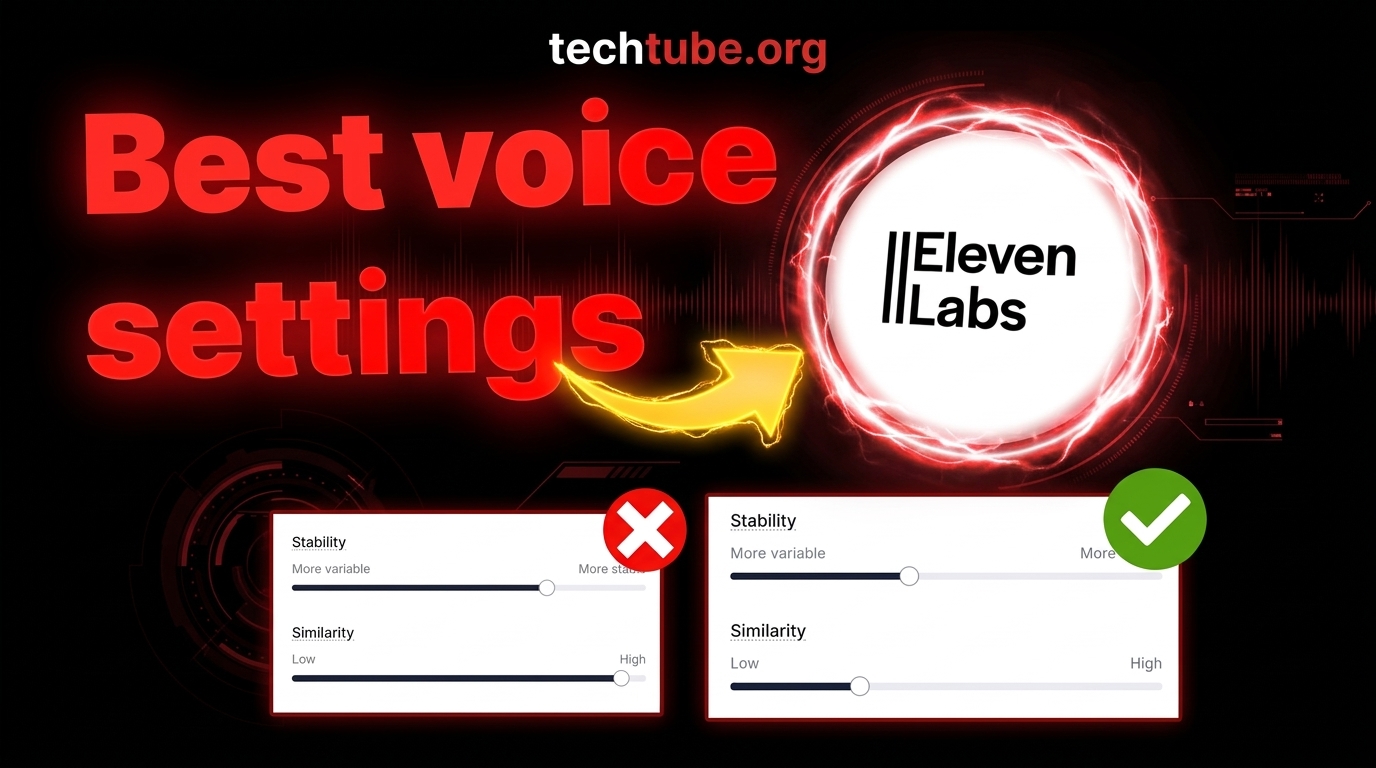
If you have ever generated a voiceover in ElevenLabs and felt it sounded slightly rushed, overly dramatic, or robotic on long paragraphs, the issue is rarely the voice itself; it is almost always the slider settings and script formatting.
Over the past few months, while producing explainer videos, tutorials, and Shorts narrations for tech content, I tested dozens of slider combinations across different voices. If you are still setting up your account or exploring plans, check our full ElevenLabs AI Voice Generator Guide first. Otherwise, below are the exact settings that consistently give clean, natural YouTube audio without wasting characters on endless regenerations.
Best ElevenLabs Settings by YouTube Niche
Different video styles need different vocal energy. A calm documentary needs steady pacing, while a tech review or YouTube Short sounds better with slightly higher expression.
| YouTube Video Style | Stability | Similarity | Style Exaggeration | Speaker Boost | Best Pacing Approach |
| Tech Tutorials & How-To | 50% – 55% | 75% | 0% – 10% | On | Clear, steady, conversational |
| Faceless Documentaries / Storytelling | 40% – 45% | 75% – 80% | 15% – 20% | On | Expressive with natural pauses |
| YouTube Shorts & Reels | 35% – 45% | 75% | 20% – 25% | On | Punchy, energetic delivery |
| Educational & Course Narration | 60% – 65% | 75% | 0% | On | Consistent, distraction-free tone |
Step-by-Step: How to Dial In Each Setting
1. Stability (The Most Important Slider)
Stability controls how consistent or emotional the voice sounds from sentence to sentence.
- Too Low (Below 30%): The voice starts acting, sometimes whispering, rushing, or randomly changing pitch mid-sentence.
- Too High (Above 75%): The voice becomes flat and monotonous, which hurts YouTube audience retention.
- The Sweet Spot (45% – 55%): In my tests, keeping Stability right around 50% gives enough natural inflection so the narrator sounds human while staying predictable across a 10-minute script.
2. Similarity (Keep It Balanced at 75%)
Similarity tells the model how closely it should stick to the original voice profile.
- Leaving it at 75% works reliably for almost every preset voice in the library.
- Pushing it to 95%–100% can sometimes bring out background artifacts or slight distortion from the original training sample, especially if you are using a custom cloned voice.
3. Style Exaggeration (Keep It Low for Long Videos)
It is tempting to crank Style Exaggeration up to make a voice sound more dramatic, but for YouTube narration, less is usually better.
- Keep it at 0% to 10% for tutorials and reviews.
- Only push it to 15%–25% if you are scripting a dramatic hook or a short-form story. High values also increase generation latency and can awkwardly emphasize random words.
4. Speaker Boost (Leave It Enabled)
Turning Speaker Boost on subtly enhances vocal clarity and presence, helping the voice cut through background music on mobile speakers where most YouTube viewers actually watch videos.
5 Script Formatting Tricks That Make ElevenLabs Sound Human
Even with ideal sliders, pasting a raw wall of text will make any AI voice sound rushed. Use these simple text tricks before hitting Generate:
- Use Commas and Ellipses (
...) for Breathing Room: If a sentence runs too fast, add a comma or...where a real human narrator would take a breath. - Write Numbers and Acronyms Phonetically: Instead of writing
2026orSEOif a voice mispronounces them, test writing"twenty twenty-six"or"S-E-O"for cleaner pronunciation. - Break Long Paragraphs Into 2–3 Sentence Chunks: Generating audio in smaller blocks gives you better control over tone and saves credits if you only need to redo one line.
- Use Question Marks and Exclamation Points Intentionally: ElevenLabs reads punctuation cues heavily; a well-placed question mark lifts the pitch naturally at the end of a hook.
- Avoid All-Caps Unless You Want Extra Stress: Writing a word in ALL CAPS forces sharper emphasis, which works well for one keyword in a sentence, not an entire line.
Common Mistakes That Waste ElevenLabs Credits
- Regenerating the entire script for one bad word: Always use section regeneration or split your script into paragraphs so you only fix the exact line that sounded off.
- Ignoring background music levels: A voiceover that sounds great solo can get muddy once you add a music bed. Keep background tracks around -22 dB to -26 dB under your ElevenLabs track in CapCut or Premiere Pro.
- Choosing the wrong voice for long-form content: High-energy promo voices sound great for 30-second ads, but they become tiring over an 8-minute YouTube tutorial. Pick a warm, mid-range conversational voice for longer videos.
Once your voiceover is ready, make sure your screen recordings or footage stay just as sharp. Follow our step-by-step guide on how to fix pixelated video before uploading.
Final Words
Getting natural YouTube voiceovers from ElevenLabs doesn’t require heavy audio editing; it comes down to a clean script, the right model, and sensible baseline controls. Start near 50% Stability, 75% Similarity, and low or zero Style Exaggeration with Speaker Boost enabled where supported, then test a short passage before generating the full script. Once you dial in what fits your channel’s pacing, save that setup as your default preset so every video stays consistent and easy to listen to.
Frequently Asked Questions (FAQ)
What is the best stability setting in ElevenLabs for YouTube?
For most YouTube videos, a Stability setting between 45% and 55% provides the best balance between natural emotion and consistent pacing.
Should I turn on Speaker Boost in ElevenLabs?
Yes. Leaving Speaker Boost enabled improves vocal clarity and presence, which helps your narration sound cleaner on phone speakers and headphones.
How do I make ElevenLabs pause between sentences?
You can create natural pauses by adding commas, ellipses (...or breaking lines into separate paragraphs rather than running sentences together.
Which ElevenLabs model is best for YouTube narration in 2026?
For English and multilingual YouTube scripts, use ElevenLabs’ latest multilingual/v2+ speech models for nuanced pacing, or a low-latency model only when you need fast real-time previews.