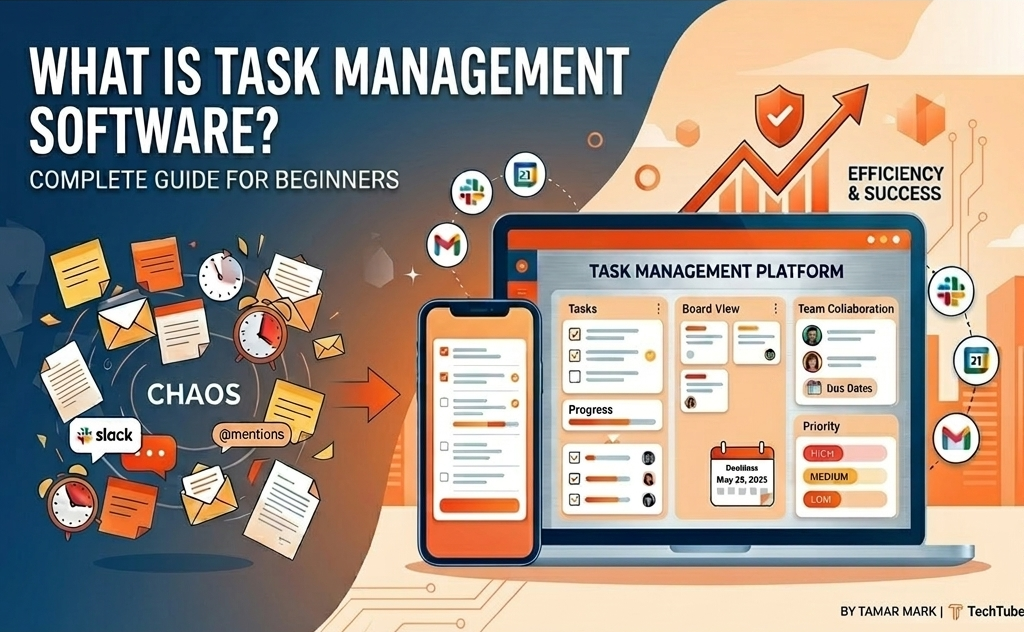
Missed a deadline. Double-booked a meeting. Lost track of who was supposed to finish what. Sound familiar? You are not alone. Studies show that professionals spend nearly 28% of their workweek managing emails and chasing task updates, time that could be spent doing actual work.
Task management software changes that equation. It gives individuals and teams a single, organized space to plan, assign, track, and complete work without the chaos of sticky notes, spreadsheets, or endless Slack threads.
Whether you run a small business, manage a remote team, or just want to get your personal to-do list under control. This guide breaks down everything you need to know in plain language.
What Is Task Management Software?
Task management software is a digital tool that helps you create, organize, assign, and monitor tasks from start to finish. Think of it as a smart to-do list, but one that can handle entire projects, multiple team members, deadlines, priorities, file attachments, and real-time progress updates all in one place.
Unlike a basic notes app or a shared spreadsheet. The Task management platforms are built specifically around workflow visibility. You can see who is working on what, what is overdue, what is blocked, and what is coming up next, all at a glance.
According to Forbes, organizations that use structured task and project management tools are 28% more likely to deliver projects on time and within budget. The data is clear: structure produces results.
How Does Task Management Software Work?
At its core, every task management tool revolves around a simple loop:
Assign: Give ownership to a specific person or team
Track Monitor status in real time
Review, evaluate outcomes, identify bottlenecks, and improve the next cycle
Most modern platforms also layer in automations, reminders, recurring tasks, and integrations with tools like Slack, Google Calendar, and email, making it easy to fit into how your team already works.
Key Features to Look for in Task Management Software
Not all tools are built the same. Here are the features that actually move the needle:
1. Task Creation and Subtasks
A solid tool lets you break large goals into smaller, actionable steps. Subtasks keep complex projects manageable and reduce overwhelm, especially important for beginners who are building the habit of structured planning.
2. Priority Levels and Due Dates
Not everything is urgent, and not everything can wait. Priority tagging (High / Medium / Low) combined with deadlines ensures your team focuses on what matters most, not just what feels most pressing at the moment.
3. Multiple Views: List, Board, and Calendar
Different people think differently. List view works for detail-oriented planners. Kanban boards suit visual thinkers. Calendar view helps with deadline management. The best tools offer all three and let users switch freely.
4. Team Collaboration and Comments
Task-level comments replace scattered email threads. Mentions, file attachments, and status updates keep all context tied to the work itself, not buried in someone’s inbox.
5. Integrations and Automations
The best task management platforms connect with tools your team already uses. Automations handle routine updates like marking a task complete when a form is submitted, so humans can focus on thinking, not clicking.
Who Benefits Most from Task Management Software?

Task management software is not just for large corporations or tech teams. It delivers real value across a wide range of users:
Freelancers and solopreneurs managing multiple client projects at once
Small business owners coordinating a growing team without a dedicated project manager
Remote teams that need shared visibility across time zones
Students balancing coursework, deadlines, and group assignments
Marketing and creative agencies running multiple campaigns simultaneously
If you handle more than five ongoing responsibilities at a time, you will likely feel an immediate difference once you start using a dedicated task management tool.
Popular Task Management Tools in 2026
The market offers options at every price point and complexity level. Here is a quick comparison of widely used platforms:
Asana
Excellent for teams needing detailed project workflows and timeline views
Trello
Simple Kanban boards; great for visual thinkers and small teams
Monday.com
Highly customizable; strong automations and reporting
Notion
Combines tasks, notes, and databases; popular with knowledge workers
ClickUp
Feature-rich and free tier-friendly; good for growing startups
For a deeper comparison of leading platforms, it regularly reviews and ranks productivity software based on features, pricing, and user experience.
How to Choose the Right Task Management Software for Your Needs
With dozens of options available, the best tool depends on your specific situation. Ask yourself these questions before committing:
How many people will be using it, just me, or an entire team?
Do I need simple task lists or full project management with timelines and dependencies?
What tools does my team already use that this needs to integrate with?
What is my budget for the free tier, or am I willing to invest in a paid plan?
How comfortable is my team with adopting new technology?
Start with a free trial. Most platforms offer 14 to 30 days of full access at no cost. Use that window to test the interface with real tasks from your actual workflow, not a toy project. If it feels like extra work rather than less work, move on.
Getting Started: Your First Week with Task Management Software
Starting simple is the key to long-term success. Overcomplicating your setup in week one is the most common reason people abandon these tools. Follow this practical path:
• Day 1-2: List your top 10 active tasks. Nothing else. Just get them in the system.
• Day 3-4: Add due dates and priority levels. Identify what is actually urgent.
• Day 5-6: Invite one other person if you work with a team. Share one project.
• Day 7: Review what you completed. Notice what felt clear versus confusing. Adjust.
Consistency matters more than perfection. Even using 20% of a platform’s features will dramatically improve how you manage your time and responsibilities.
Final Thoughts
Task management software is not a luxury for anyone juggling multiple responsibilities; it is a practical necessity. It brings clarity to complexity, reduces the mental load of remembering everything, and gives teams a shared language around work.
The good news is that getting started does not require a perfect system or a big budget. Pick one tool, load in your real work, and commit to using it for two weeks. The habit will build itself once you experience what it feels like to have everything in one place.
For more productivity guides, tech tips, and tool comparisons, explore Techtube, your go-to resource for practical technology insights.
FAQs
Q1. What is the difference between task management and project management software?
Task management focuses on individual to-dos and daily work items, while project management covers broader goals with timelines, budgets, and team dependencies. Think of tasks as the building blocks inside a project.
Q2. Is task management software suitable for individuals, or only for teams?
Both. Solo users benefit just as much — freelancers, students, and solopreneurs use it to organize personal workloads, track deadlines, and reduce mental clutter without needing a team.
Q3. Is free task management software good enough, or do I need a paid plan?
For most beginners and small teams, free tiers of tools like Trello, ClickUp, or Asana are more than enough. Paid plans become worth it when you need advanced automations, reporting, or more than a few team members.
Q4. How long does it take to see results after adopting task management software?
Most users notice a difference within the first week. Once your active tasks are loaded and prioritized, you spend less time remembering what to do and more time actually doing it. Full team adoption typically takes 2 to 4 weeks.